All
A practical guide for support teams on how to reduce customer support tickets, covering bug reporting, help centres, proactive communication and onboarding.

•
•

Every support team reaches a point where the volume of incoming tickets stops feeling manageable. The instinct is to hire more agents. But before you do, it's worth asking a harder question: why are so many tickets coming in the first place?
Most support ticket volume isn't random. It follows patterns: the same questions, the same confusions, the same bugs reported over and over by different customers. That means most of it is preventable.
Here's how to reduce customer support tickets systematically, without cutting corners on the experience customers actually get.
1. Identify What's Driving Your Ticket Volume
Before you can reduce tickets, you need to know what's generating them. Pull your last 30 days of tickets and categorise them. Most teams find that 60–70% of volume comes from just 4 or 5 recurring issues.
Common culprits include:
Billing confusion: charges customers didn't expect, invoice questions, failed payments
How-to questions: features that exist but are not intuitive enough to find without help
Reporting bugs: something is not working and the customer has no way to show you what they saw
Onboarding friction: new users hitting walls in their first week
Status anxiety: customers checking in because they haven't heard back
Once you know the breakdown, you can address each category deliberately rather than treating all tickets as the same problem.
2. Fix the Issues That Keep Generating Tickets
Bug reports are one of the most expensive ticket types, not just because they take time to resolve, but because a single unresolved bug can generate dozens of duplicate reports before it gets fixed.
The bottleneck is usually not engineering speed. It's the time it takes to go from "a customer reported something" to "a developer has everything they need to reproduce it." Unclear customer bug reports create back and forth between support and engineering, which delays fixes, which means more customers hit the same bug and file more tickets.
Two things reduce this significantly:
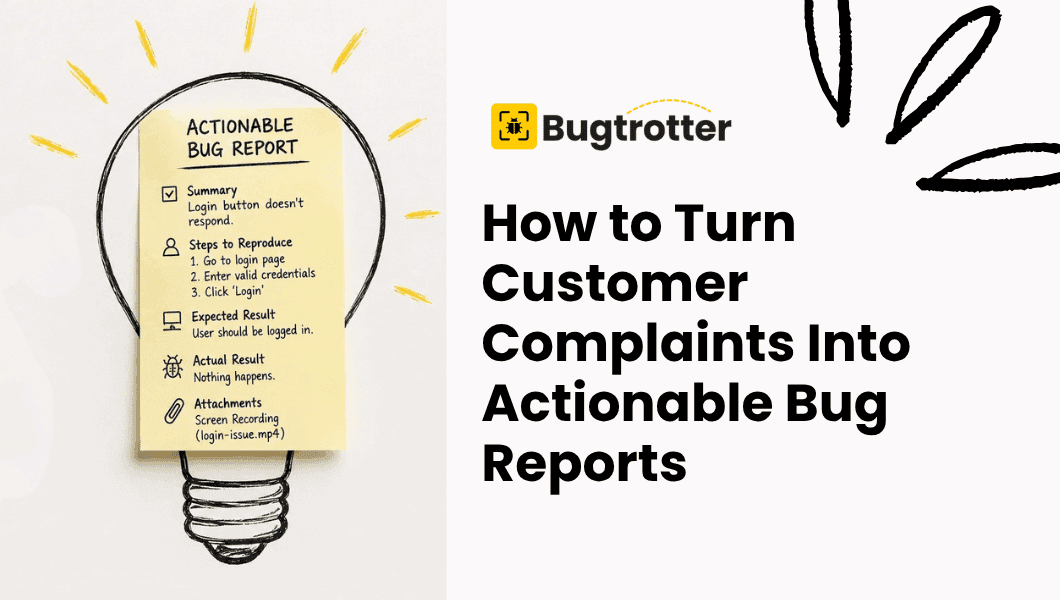
Use structured bug report templates. A good template ensures every report captures environment details, steps to reproduce and expected versus actual behaviour. Without structure, you get "the button doesn't work", with it, you get something a developer can act on immediately.
Make it easy for customers to show you the bug. Written descriptions of bugs are inherently limited. Tools like Bugtrotter let customers record a short video of the issue happening in real time, which goes directly into Jira, slack or any other tools as a structured report. A developer watching a 20-second screen recording understands the bug faster than reading three paragraphs of text and fixes it faster too.
3. Build a Help Centre That Actually Deflects Tickets
A help centre only reduces tickets if customers can find answers before they reach out. Most don't deflect much because they are built around what the company wants to document, not around the questions customers are actually asking.
To make yours work harder:
Write articles around real ticket language. If customers are asking "why was I charged twice," your article title should match that phrasing, not "understanding billing cycles."
Surface help content in-app. A help centre customers have to navigate to separately gets used far less than one that appears contextually inside your product.
Update it when ticket patterns shift. Set a monthly reminder to review your top ticket categories and check whether your help content addresses them.
4. Get Ahead of Common Questions With Proactive Communication
A lot of tickets are customers asking about things you already know are coming, a billing date, a feature change, a scheduled outage, a delay. If you tell them before they have to ask, the ticket never gets filed.
Proactive communication that consistently reduces tickets includes:
Pre-billing emails sent 3–5 days before a charge, especially for annual renewals
In-app banners for known bugs or degraded service so customers don't report what you already know about
Onboarding sequences that anticipate the questions new users will have in their first week
Release notes that explain what changed and why before customers notice something is different
The goal is to make customers feel informed enough that reaching out feels unnecessary.
5. Improve Onboarding to Cut First Week Tickets
New users generate a disproportionate share of support tickets. They don't know the product yet so anything confusing becomes a ticket. Reducing onboarding tickets is one of the highest leverage places to invest.
Look at where new users drop off or slow down in their first session. Those points of friction are your ticket generators. Common fixes include:
In-app tooltips and empty state guidance at the moments users are most likely to get stuck
A checklist style onboarding flow that guides users to their first meaningful outcome
A short welcome sequence that covers the three or four things most new users get wrong
Improving onboarding reduces tickets and improves activation at the same time, it's one of the few changes that makes both your support metrics and your product metrics better simultaneously.

6. Make Your Contact Form Do More Work
Most contact forms ask for very little: a name, an email, a free text description. That means support agents spend the first exchange asking for information the form should have collected upfront.
Structuring your contact form to capture the right details on first submission reduces the number of follow-up messages per ticket which effectively reduces the workload even when ticket volume stays the same.
For bug reports specifically, this means asking for browser, OS, and a description of what was expected versus what happened. For billing queries, it means asking for the account email and the charge in question. A small amount of upfront friction saves a much larger amount of back and forth.
7. Close the Loop Between Support and Product
The most sustainable way to reduce support tickets long term is to fix the underlying product problems that generate them. That only happens if the right information gets from your support team to your product team consistently.
Set up a simple process:
Tag tickets by root cause, not just topic
Share a monthly summary of top ticket drivers with your product team
Flag bugs with volume data, "this issue generated 47 tickets last month" carries more weight than "customers are complaining about this"
Support data is one of the most valuable inputs a product team can have. When it's used well, the fixes your product team ships directly reduce your future ticket volume.
How Much Can You Realistically Reduce?
Most SaaS teams that work through this systematically see a 20–40% reduction in ticket volume within three to six months without reducing the quality of support. The biggest gains usually come from fixing high volume bugs faster, improving help centre discoverability and adding proactive communication around billing.
The key is treating ticket volume as a product problem, not just a support problem. Every ticket is a signal. Enough signals pointing at the same thing mean something in your product needs to change.

Final Thoughts
Reducing support tickets isn't about making it harder for customers to reach you. It's about resolving the friction that's sending them to your inbox in the first place — clearer onboarding, better documentation, faster bug fixes, and proactive communication that gets ahead of common questions.
Start by categorising your current ticket volume. The patterns will tell you exactly where to focus first.
View more articles
Learn actionable strategies, proven workflows, and tips from experts to help your product thrive.