
BUGTROTTER + SLACK INTEGRATION
BUGTROTTER + SLACK INTEGRATION
Customer Screen Recordings. Straight to Slack.
Customer Screen Recordings. Straight to Slack.
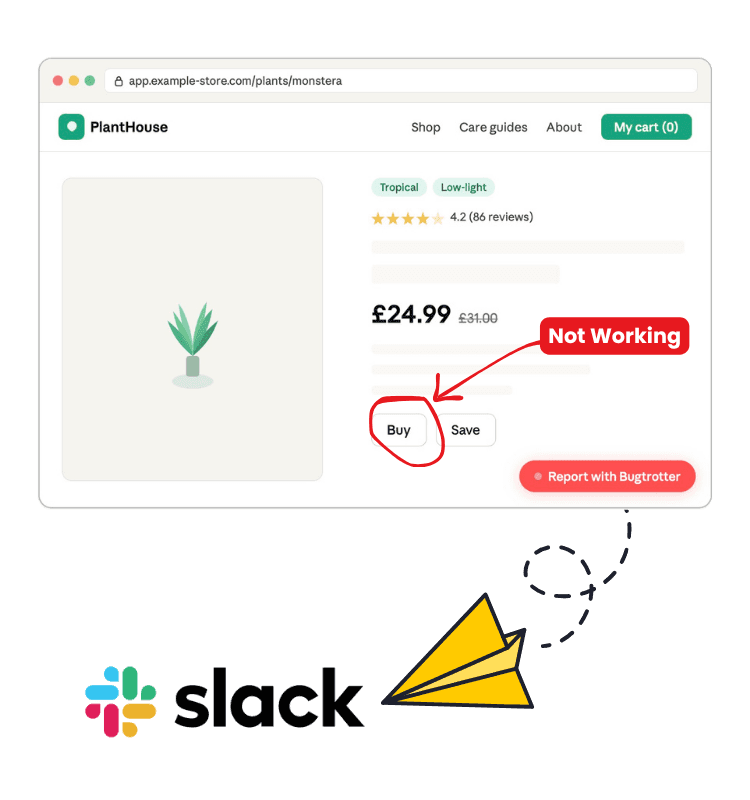
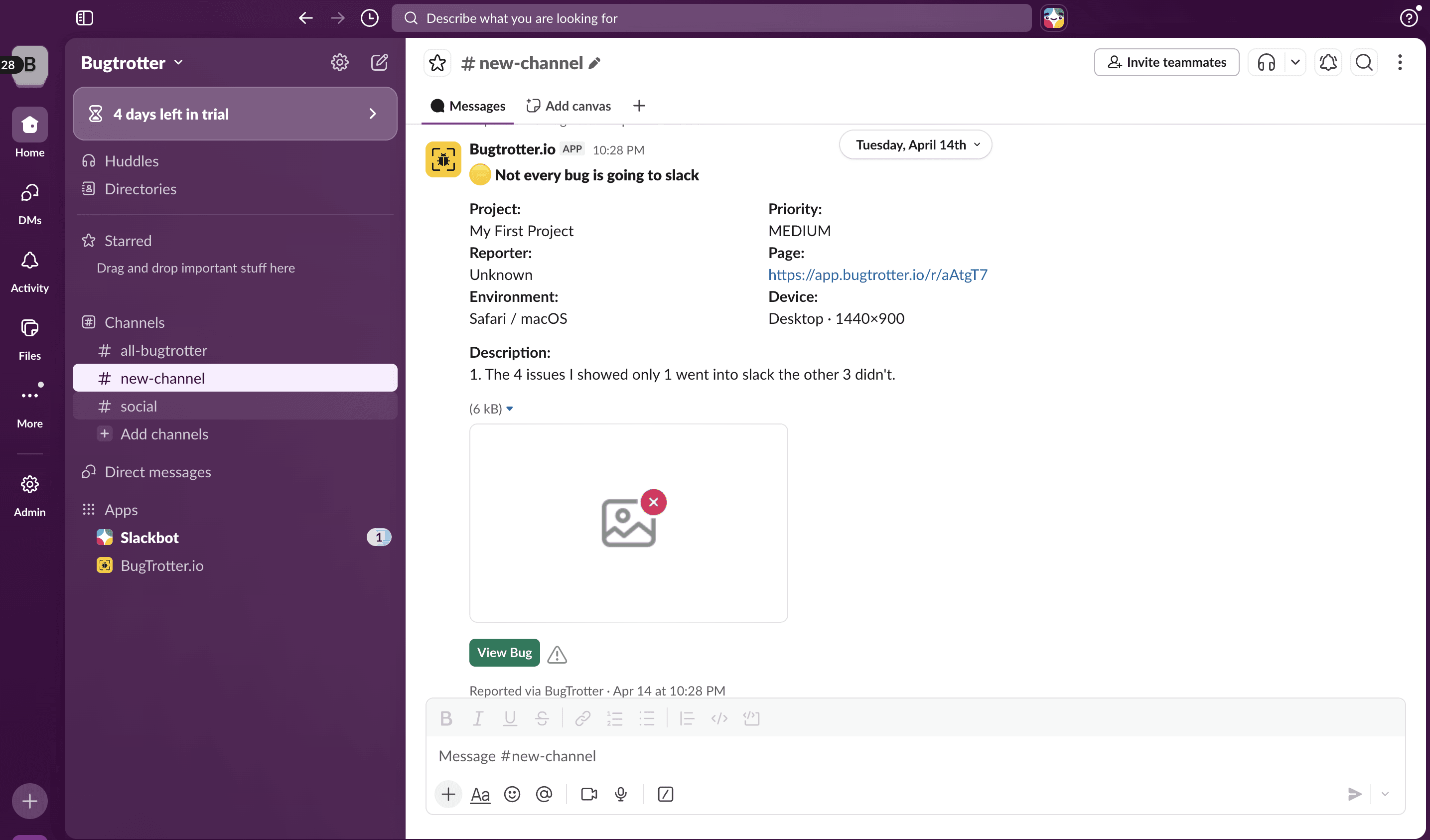
Customer records their screen. Full report lands in your Slack channel instantly — video, browser, OS, URL, console logs. No switching tabs. No chasing tickets.
Customer records their screen. Full report lands in your Slack channel instantly — video, browser, OS, URL, console logs. No switching tabs. No chasing tickets.
Customer records their screen. Full report lands in your Slack channel instantly — video, browser, OS, URL, console logs. No switching tabs. No chasing tickets.





BEFORE & AFTER
Same customer issue. Completely different experience.
See what changes when your customer can just show you instead of trying to explain.
Without Bugtrotter
Support tickets arrive unclear
You ask for a screen recording
"how do I do that?"
You send long instructions.
Receive video hours later
Video doesn't play.
You spend more time showing them.
Thread grows. Ticket stays open.
With Bugtrotter + Slack
"Here's a magic link to record your screen"
Customer records video in one click
Report lands straight in your Slack channel
You watch and see the exact issue
Solve it in one reply
Save 30+ minutes per customer support ticket.
See exactly what your customers see to resolve issues faster.
BEFORE & AFTER
Same customer issue. Completely different experience.
See what changes when your customer can just show you instead of trying to explain.
Without Bugtrotter
Support tickets arrive unclear
You ask for a screen recording
"how do I do that?"
You send long instructions.
Receive video hours later
Video doesn't play.
You spend more time showing them.
Thread grows. Ticket stays open.
With Bugtrotter + Slack
"Here's a magic link to record your screen"
Customer records video in one click
Report lands straight in your Slack channel
You watch and see the exact issue
Solve it in one reply
Save 30+ minutes per customer support ticket.
See exactly what your customers see to resolve issues faster.
BEFORE & AFTER
Same customer issue. Completely different experience.
See what changes when your customer can just show you instead of trying to explain.
Without Bugtrotter
Support tickets arrive unclear
You ask for a screen recording
"how do I do that?"
You send long instructions.
Receive video hours later
Video doesn't play.
You spend more time showing them.
Thread grows. Ticket stays open.
With Bugtrotter + Slack
"Here's a magic link to record your screen"
Customer records video in one click
Report lands straight in your Slack channel
You watch and see the exact issue
Solve it in one reply
Save 30+ minutes per customer support ticket.
See exactly what your customers see to resolve issues faster.
HOW DOES IT WORK
Connect Slack
Go to integrations, connect your Slack workspace and choose which channel receives customer recordings.
Share a recording link
Generate a link from your dashboard and send it in chat, email or your product — one line is all you need.
Customer records instantly
Customers click the link. A recording interface opens in their browser. No download. No account. Done in under 30 seconds.
Report Lands in Slack
Your team receives a full report in Slack. Ready to watch, share, download or act on immediately.
HOW DOES IT WORK
Connect Slack
Go to integrations, connect your Slack workspace and choose which channel receives customer recordings.
Share a recording link
Generate a link from your dashboard and send it in chat, email or your product — one line is all you need.
Customer records instantly
Customers click the link. A recording interface opens in their browser. No download. No account. Done in under 30 seconds.
Report Lands in Slack
Your team receives a full report in Slack. Ready to watch, share, download or act on immediately.
HOW DOES IT WORK
Connect Slack
Go to integrations, connect your Slack workspace and choose which channel receives customer recordings.
Share a recording link
Generate a link from your dashboard and send it in chat, email or your product — one line is all you need.
Customer records instantly
Customers click the link. A recording interface opens in their browser. No download. No account. Done in under 30 seconds.
Report Lands in Slack
Your team receives a full report in Slack. Ready to watch, share, download or act on immediately.
WHAT YOU CAN DO
Features for Customer Support
Everything a small support team needs to give exceptional customer experience.

Multiple Recording Links
Generate unique links per customer, per issue or per project. Every report is traceable and organised from the start.

In App Recording
Embed the Bugtrotter widget directly in your app. Customers record without ever leaving your product and the report goes straight to your Slack.

Team Collaboration
Invite your whole team to Bugtrotter. Each member can collect recordings, manage reports and collaborate on issues — all synced to Slack in real time.

Zero friction for customers
Customers click a link and record in seconds. No download. No account. Nothing to figure out.

Real customer context
Browser, OS, URL and screen size captured automatically with every recording.

Multiple Projects
Create separate projects for different products, teams or customers. Everything organised in one place so nothing gets missed.
WHAT YOU CAN DO
Features for Customer Support
Everything a small support team needs to give exceptional customer experience.
Multiple Recording Links
Generate unique links per customer, per issue or per project. Every report is traceable and organised from the start.
In App Recording
Embed the Bugtrotter widget directly in your app. Customers record without ever leaving your product and the report goes straight to your Slack.
Team Collaboration
Invite your whole team to Bugtrotter. Each member can collect recordings, manage reports and collaborate on issues — all synced to Slack in real time.
Zero friction for customers
Customers click a link and record in seconds. No download. No account. Nothing to figure out.
Real customer context
Browser, OS, URL and screen size captured automatically with every recording.
Multiple Projects
Create separate projects for different products, teams or customers. Everything organised in one place so nothing gets missed.
WHAT YOU CAN DO
Features for Customer Support
Everything a small support team needs to give exceptional customer experience.
Multiple Recording Links
Generate unique links per customer, per issue or per project. Every report is traceable and organised from the start.
In App Recording
Embed the Bugtrotter widget directly in your app. Customers record without ever leaving your product and the report goes straight to your Slack.
Team Collaboration
Invite your whole team to Bugtrotter. Each member can collect recordings, manage reports and collaborate on issues — all synced to Slack in real time.
Zero friction for customers
Customers click a link and record in seconds. No download. No account. Nothing to figure out.
Real customer context
Browser, OS, URL and screen size captured automatically with every recording.
Multiple Projects
Create separate projects for different products, teams or customers. Everything organised in one place so nothing gets missed.
SLACK REPORT EXAMPLE
FREQUENTLY ASKED QUESTIONS
Have questions?
Can’t find what you’re looking for? Reach out and we will be happy to help.
Does the customer need to download anything?
No. Customers click a link or use the embedded widget and record directly in their browser. Nothing to download, nothing to install.
Can my whole team see the reports?
Which Slack channel do recordings go to?
Do I need a paid Slack account?
How long does setup take?
FREQUENTLY ASKED QUESTIONS
Have questions?
Can’t find what you’re looking for? Reach out and we will be happy to help.
Does the customer need to download anything?
No. Customers click a link or use the embedded widget and record directly in their browser. Nothing to download, nothing to install.
Can my whole team see the reports?
Which Slack channel do recordings go to?
Do I need a paid Slack account?
How long does setup take?
FREQUENTLY ASKED QUESTIONS
Have questions?
Can’t find what you’re looking for? Reach out and we will be happy to help.
Does the customer need to download anything?
No. Customers click a link or use the embedded widget and record directly in their browser. Nothing to download, nothing to install.