
Customer Support
The first step to writing a bug report is understanding your customer's problem. A free template and everything your team needs to get it right.

•
•

A customer messages you. "The checkout is not working." You ask what happened. They say it just stopped. You ask what browser they are using. They do not know. You ask if they can send a screenshot. They send a photo of their laptop screen taken on their phone.
Sound familiar? Almost every support team deals with this daily. The problem is not the customer. It is that nobody told them how to write a bug report in a way that is actually useful. Until someone does, your team will keep spending hours chasing context that should have arrived with the first message.
What Makes a Good Bug Report
A useful bug report comes down to five things. Every one of them matters. When any one is missing your team loses time.
What the customer was trying to do Not what broke, what they were attempting. "I was trying to complete a purchase" is more useful than "checkout is broken" because it tells you where in the flow to look.
What they expected to happen This sounds obvious but it rarely gets included. A customer who expected a confirmation email and did not get one has a different problem to one who expected a success page and got an error instead.
What actually happened The exact behaviour including any error message text. "It showed an error" is not enough. "It showed a red message saying payment failed even though my card was charged" is.
Steps to reproduce the issue If your developer cannot reproduce the bug they cannot fix it. A numbered sequence of what the customer did from opening the page to hitting the error is what makes a ticket actionable rather than theoretical.
Technical context: browser, OS, URL, device This is the information customers almost never include and almost always need to provide. A bug that only occurs on Safari iOS behaves completely differently to one on Chrome desktop. Without this your developer is guessing.
All five elements together give your team everything needed to understand, reproduce and fix the issue without a single follow up question.
Why the Traditional Bug Reporting Process Fails
When something breaks customers describe what they felt. "It glitched." "It froze." "It just does not work." They are not being vague on purpose. They are describing their experience the only way they know how to.
They also assume you can see what they saw. From their perspective they have told you the problem. The checkout did not work. What else is there to say?
And then there is the technical information. Most customers genuinely do not know what browser version they are running or what operating system their laptop uses. Asking them to find it creates friction and friction means drop off.
So here is what the typical cycle looks like. A customer sends a vague message. Your ask for follow up questions. The customer replies hours later with answers that raise more questions. The agent asks again. The customer gets frustrated. Eventually after three or four exchanges there is enough information to escalate to engineering.
By that point the ticket is two days old, the customer has lost confidence and your developer still needs one more clarifying question before they can start. According to Zendesk research the average support conversation involves multiple exchanges before a bug is fully understood and each exchange adds hours to resolution time.
The fix does not start with engineering. It starts with how the report is captured in the first place.
Before and After: What a Good Bug Report Looks Like
Here is the difference in practice.
Bad: "The checkout is not working"
Good: "I was trying to complete a purchase for two items in my cart. I expected to see an order confirmation page after entering my card details. Instead I got a red error message saying payment failed but the charge had already gone through on my bank app. This happened twice. I am using Chrome on a MacBook running macOS Ventura. The URL was yoursite.com/checkout/payment. I have attached a screen recording of the exact moment it happened."
The second report goes directly to a developer. No follow up needed. The issue is clear, reproducible and has everything required to investigate immediately.
The difference is not length. It is structure. A customer who knows what five things to include will write a better bug report than a customer writing three paragraphs of unstructured description every time.
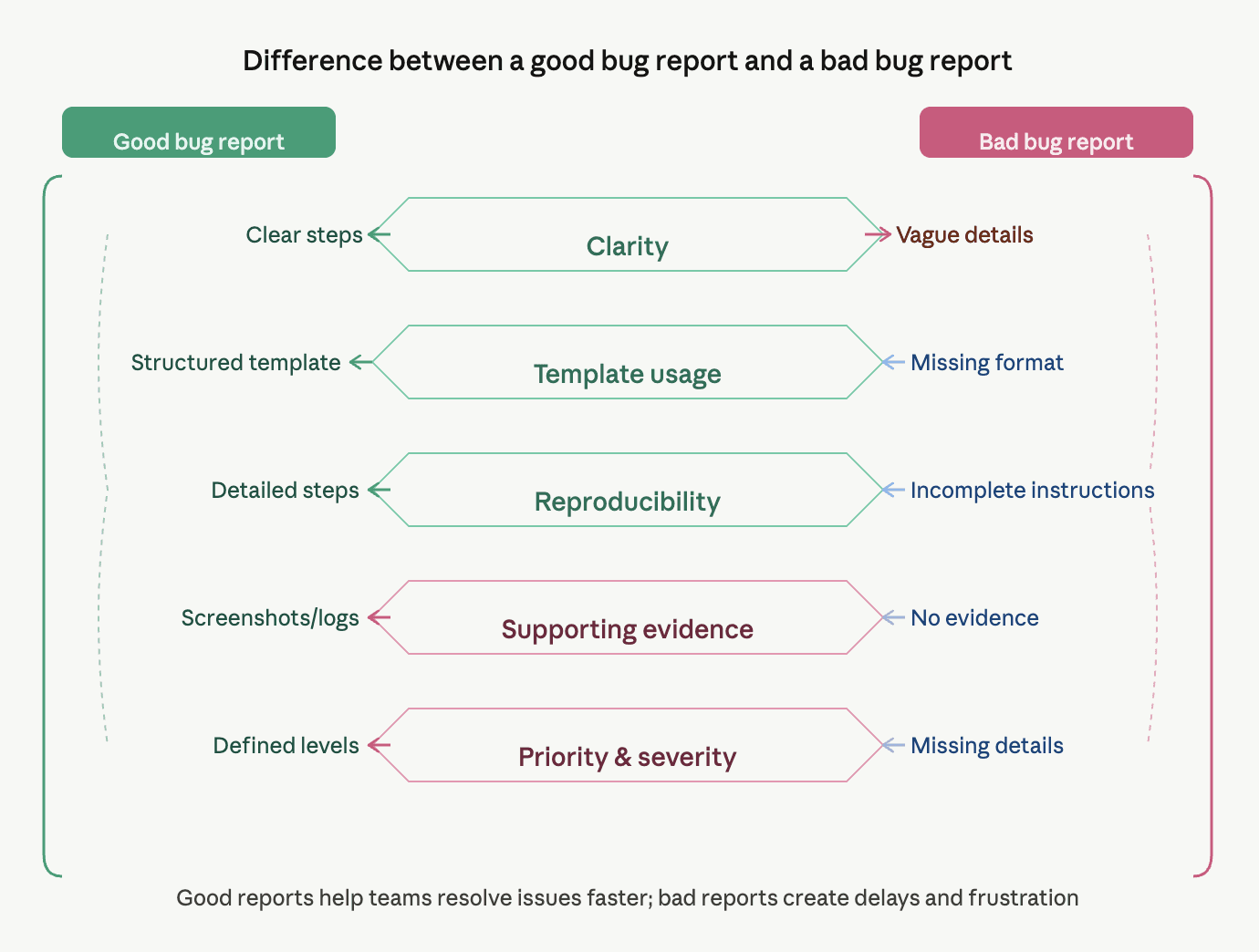
How to Get Better Bug Reports From Customers
You cannot control how customers describe problems. You can control the environment they report them in.
Give customers a template. A simple form with five fields captures more useful information than an open text box. Most customers will fill it in if the questions are clear and specific. A free template is included at the end of this article.
Ask specific questions upfront. Build your support intake around what you actually need. Instead of "describe the issue" try "what were you trying to do when this happened?" The question shapes the answer.
Make attachments easy. If sending a screenshot requires navigating away from the support window most customers will not bother. The lower the friction the more context you receive.
Capture technical context automatically. This is where the biggest time savings come from. Tools like Bugtrotter let customers record a short video of the issue happening in real time. Their browser, OS, URL and device are captured automatically in the background without the customer having to know any of it. The report that lands in your helpdesk or Jira already has everything your developer needs.
For a practical guide on collecting screen recordings without the friction read our guide on how to record screen for support.
Traditional vs Video Bug Report
Traditional Bug Report | Video Bug Report | |
|---|---|---|
What customer provides | Text description | Screen recording |
Technical context captured | No: must be asked for | Yes: automatic |
Steps to reproduce | Often missing | Visible in recording |
Time for customer to submit | 5-10 minutes | Under 60 seconds |
Follow up questions needed | Almost always | Rarely |
Time to understand the issue | Hours | Minutes |
Developer can act immediately | Rarely | Almost always |
Bug Report Template You Can Use Today
Copy this and add it to your support intake form, help centre or email auto reply. It takes customers under two minutes to fill in and gives your team everything needed to act without a single follow up.
For a full set of structured templates covering every type of issue from UI bugs to billing problems read our Jira bug report templates.
If getting clear bug reports from customers still feels like pulling teeth there is a better way.
Bugtrotter lets customers record exactly what went wrong in seconds. Their browser, OS, URL and device are captured automatically. The report lands in your Slack or any other helpdesk with everything your team needs to act immediately. No back and forth. No missing context. No wasted time.